Skip to content
Smart Path

Solution

Event management software for planners working across many venues

An event planner does not own a calendar of dates; they own a portfolio of clients, each with a different venue, a different timeline and a different set of vendors. Smart Path gives every one of those events a single record you can work from and hand over.

The short answer

Event management software for planners keeps every client event in one system regardless of which venue it is held at: the timeline, the budget, the vendor list, the guest count and the documents. It replaces the folder-per-client method that stops scaling once a planner runs more than a handful of events at once.

  • Every client event in one place, whichever venue hosts it.
  • Timelines and vendor details recorded on the event, not in scattered files.
  • Exportable run sheets to hand to venues and vendors.
  • A shared system, so an associate can pick up an event without a handover meeting.
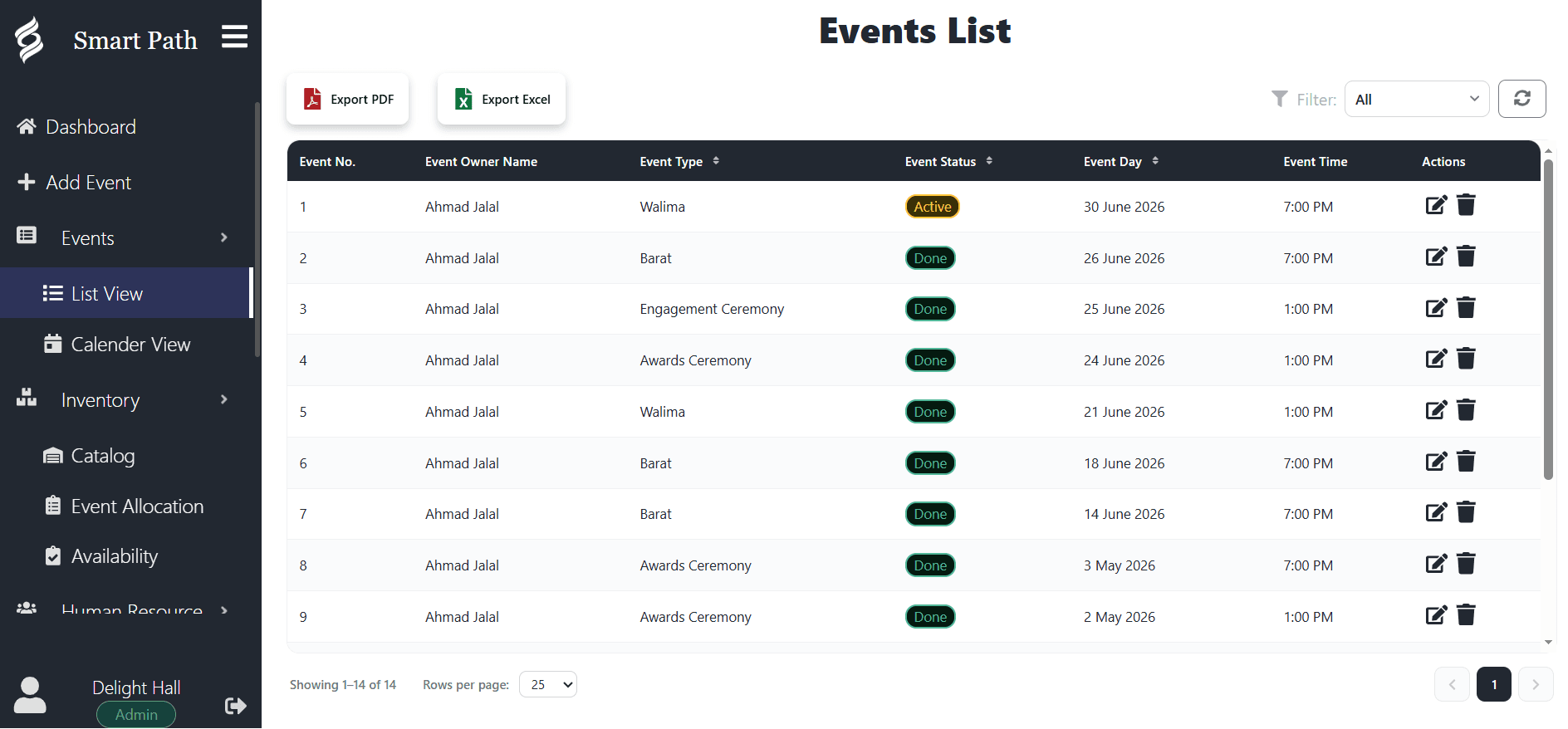
Smart Path events list with event type, status, date and time columns and buttons to export to PDF or Excel
Why it fits

Built for how venues actually work

  • One record per client event

    Timeline, guest count, vendors, budget and notes in a single place per event.

  • Portfolio calendar

    See every client event across every venue on one calendar, including overlaps in your own capacity.

  • Run sheets to share

    Export a clean document for the venue, the caterer or the client without rebuilding it.

  • Team handover

    An associate opening the event sees what you see, which makes delegation possible.

  • Client check-ins

    Scheduled messages keep long planning cycles moving without you tracking them.

  • Budget and payment tracking

    Record what is agreed, invoiced and outstanding across every event you are running.

The folder-per-client method and where it breaks

Most planners start the same way: a folder per client, a document for the timeline, a spreadsheet for the budget, and email for everything else. It works, and it works well, right up until roughly the point where you are running six events at once.

What breaks is not any individual file. It is the cross-cutting view. You cannot answer "what is happening in the next three weeks across all my clients" from a set of folders, because that question requires opening all of them. So you keep the answer in your head instead, and the quality of your business becomes dependent on your memory not failing during peak season.

The second failure is delegation. A folder system is legible only to the person who built it. Bringing an associate in requires a handover meeting per event, which is why many capable planners stay stuck as a solo operation for longer than they need to.

Working across venues you do not control

A planner faces a constraint a venue never does: the venue’s calendar is not yours. You are coordinating against someone else’s availability, someone else’s rules and someone else’s operational documents.

That makes your own record more important, not less. It is the only place where the full picture of your client’s event exists, because the venue has their slice, each vendor has theirs, and the client has a set of expectations that may not match any of them.

Keeping that record structured rather than narrative is what makes it useful under pressure. When a venue emails on Thursday asking to confirm load-in times, you should be looking something up, not reconstructing it from a thread.

What a planner’s event record should hold

The test for what belongs on the record is simple: would you need this if you were handing the event to someone else tomorrow morning?

  • Client contact details, and the day-of contact if different.
  • Venue, spaces booked and the venue’s own contact.
  • The full timeline, including vendor load-in and load-out.
  • Vendor list with contacts, what each is providing and when they arrive.
  • Guest count and its confirmation date.
  • Menu and catering arrangements, including dietary requirements.
  • Budget: agreed, invoiced, paid and outstanding.
  • Decisions made and anything specifically promised to the client.
If an event cannot be handed over in ten minutes, it is not documented; it is memorised.

Scaling past yourself

The transition from solo planner to a small team is the hardest step in the business, and it is usually blocked by documentation rather than by demand.

A planner with a full pipeline and no shared system cannot hire, because every event requires them personally. The first associate makes things slower, not faster, because every task comes with a briefing. Many planners conclude from this that hiring does not work for them, when what actually did not work was the handover.

Putting events into a shared, structured system changes the economics of that first hire. An associate can open an event and see the timeline, the vendors, the count and the decisions without a meeting. The briefing becomes a sentence rather than an hour.

FAQ

Frequently asked questions

Is Smart Path useful if I do not own a venue?

Yes. Planners use it as the record for their own client events regardless of where those events are held. It holds the timeline, vendor list, guest count, budget and decisions in one place, which is exactly what is missing when each event lives in a folder and an email thread.

Can I manage events at different venues?

Yes. Each event records the venue and spaces it is held in, and your calendar shows your whole portfolio across every venue, so you can see your own capacity as well as each individual event.

Can my team see the same events?

Yes. Every paid plan supports multiple users with no per-seat charge, so an associate can open an event and see what you see. That is usually what makes the first hire viable.

Can I export a run sheet to send to a venue or vendor?

Yes. Events export to PDF, so you can send the venue, the caterer or the client a clean document generated from the record rather than assembled by hand each time something changes.

How much does it cost for a small planning business?

$50 per month on Basic and $75 on Premium, with your first month free. Because pricing is flat rather than per seat, adding associates does not change what you pay.

Ready to run your venue on one system?

Book a 20-minute walkthrough and see Smart Path handle your real bookings. Free for your first month — no credit card required.

Book a Demo